Turning Your Terminal Into an AI Dev Team
I’ve been using Claude Code with agent teams in a tmux terminal, and it fundamentally changes the development workflow.
The setup
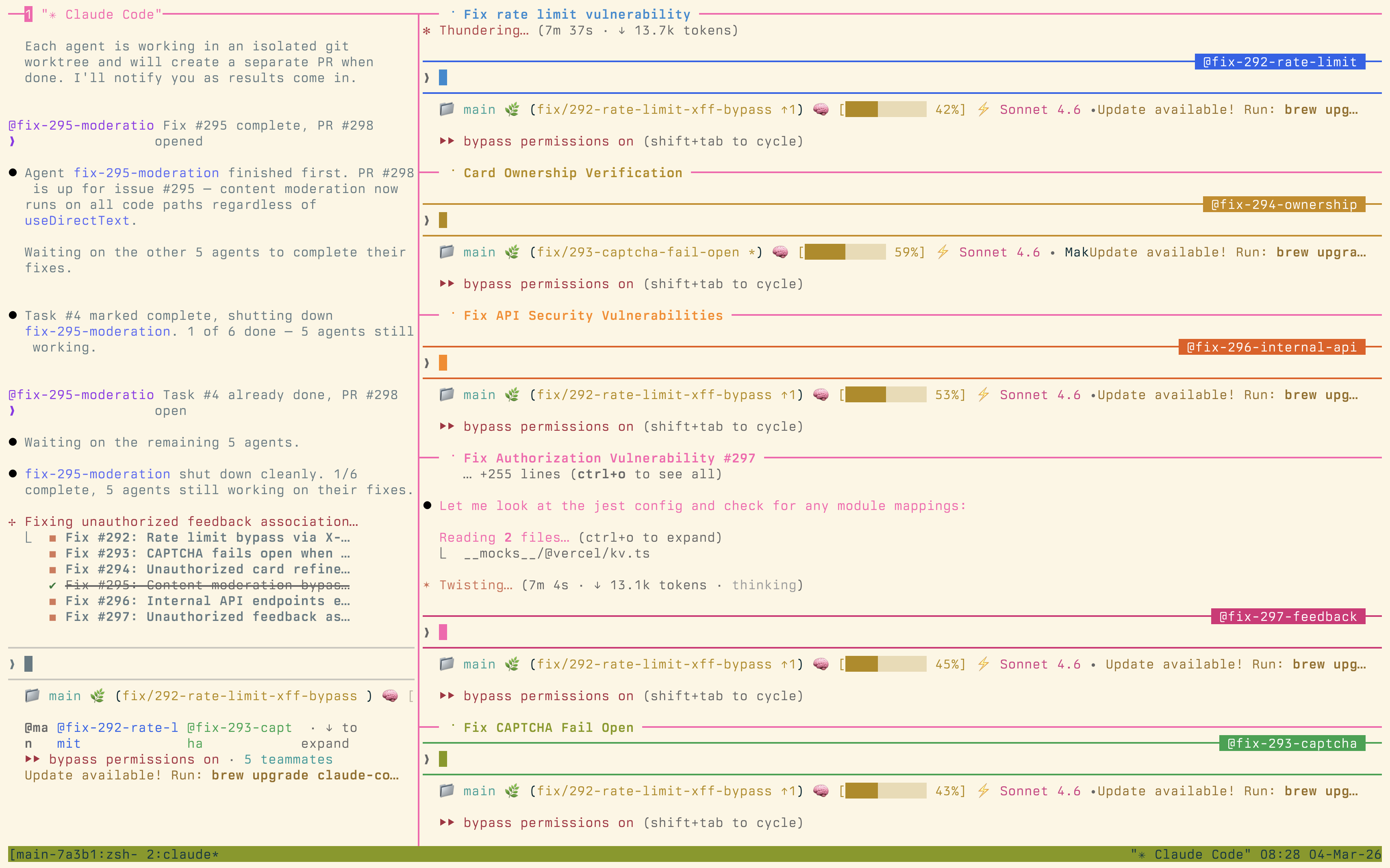
Each agent gets its own tmux pane. One might be running tests, another opening branches, and a third reporting status, all in real time. I stay in one session, steering and reviewing, while the agents grind through new features, security fixes, and refactors.
It’s the first AI dev setup that feels like running a whole team instead of a single slow bot.
Why tmux changes everything
Most AI coding tools give you a single thread of execution. You ask for something, wait, review, ask again. It’s sequential and slow. But with tmux panes, you get genuine parallelism. While one agent is refactoring a module, another can be writing tests for a different part of the codebase. A third can be running security audits.
Many development tasks are independent. Feature work on module A doesn’t block test improvements on module B. By giving each task its own agent in its own pane, you remove the artificial bottleneck of single-threaded AI assistance. Take this further and the agents don’t even need to carry your patterns. They can carry anyone’s encoded expertise.
The human role shifts
With this setup, my role shifts from writing code to something closer to a tech lead running a team. I’m reviewing pull requests, making architectural decisions, and ensuring the agents stay aligned with the actual goal. Even the waiting part of review can run in the background: I handed both sides of the PR loop to agents. The tedious parts (writing boilerplate, running through test matrices, updating documentation) get handled by agents that don’t get bored or distracted.
This amplifies engineering judgment rather than replacing it. I spend more time on the decisions that matter and less time on the mechanical work that doesn’t. I think that shift is coming for most of the job, from doers to directors. The temptation is to review every line of agent-generated code, but that’s the wrong use of your attention. Review the outcome, not the output.
Getting started
If you want to try this yourself, start simple: two tmux panes, one for your main agent and one for a test runner. Make sure your feedback loop is fast enough to keep those agents productive, because a slow test suite bottlenecks every pane. Get comfortable with the workflow before scaling up. The coordination overhead is real: more agents means more context to track. But once you find your rhythm, it’s hard to go back to single-threaded AI assistance.