Turning Your Terminal Into an AI Dev Team
The Setup
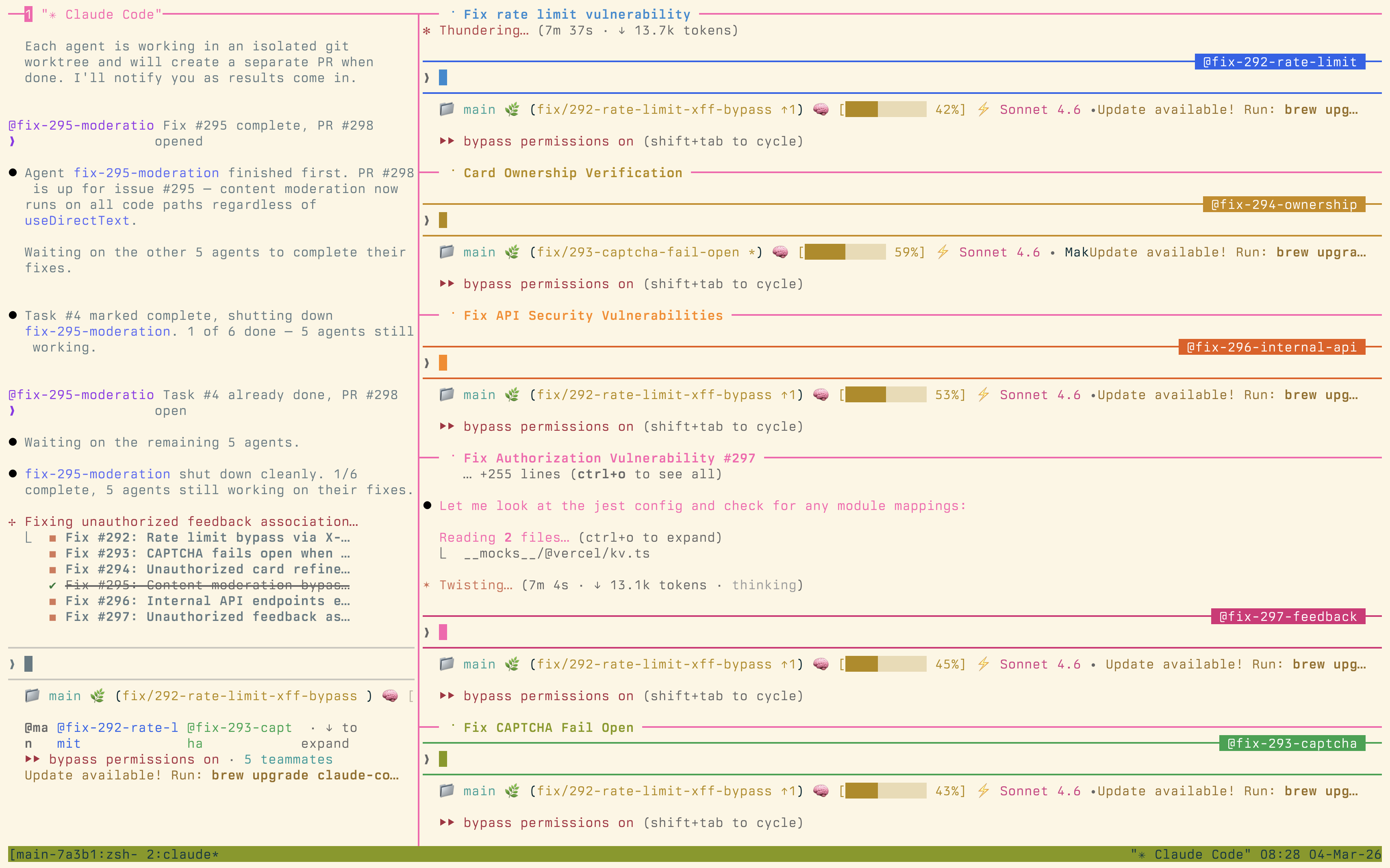
Each agent gets its own tmux pane. One might be running tests, another opening branches, and a third reporting status — all in real time. I stay in one session, steering and reviewing, while the agents grind through new features, security fixes, and refactors.
It’s the first AI dev setup that feels like running a whole team instead of a single slow bot.
Why Tmux Changes Everything
Most AI coding tools give you a single thread of execution. You ask for something, wait, review, ask again. It’s sequential and slow. But with tmux panes, you get genuine parallelism. While one agent is refactoring a module, another can be writing tests for a different part of the codebase. A third can be running security audits.
The key insight is that many development tasks are independent. Feature work on module A doesn’t block test improvements on module B. By giving each task its own agent in its own pane, you remove the artificial bottleneck of single-threaded AI assistance.
The Human Role Shifts
With this setup, my role shifts from writing code to something closer to a tech lead running a team. I’m reviewing pull requests, making architectural decisions, and ensuring the agents stay aligned with the actual goal. The tedious parts — writing boilerplate, running through test matrices, updating documentation — get handled by agents that don’t get bored or distracted.
This doesn’t replace engineering judgment. It amplifies it. I spend more time on the decisions that matter and less time on the mechanical work that doesn’t.
Getting Started
If you want to try this yourself, start simple: two tmux panes, one for your main agent and one for a test runner. Get comfortable with the workflow before scaling up. The coordination overhead is real — more agents means more context to track. But once you find your rhythm, it’s hard to go back to single-threaded AI assistance.
This article was originally posted on LinkedIn.